
Disclosure: This post may contain affiliate links. I may earn a small commission if you purchase through these links, at no extra cost to you.
Disclosure: This article contains affiliate links. If you click a link and make a purchase, The Slide House may earn a small commission at no extra cost to you. We only recommend tools we genuinely believe will help you create better presentations. Read our full Affiliate Disclosure.
Ever felt that knot in your stomach before a big presentation? You’ve got great ideas, but how do you make them shine? How do you keep people hooked? In my experience, it all comes down to structure. A messy presentation is like a tangled ball of yarn. No one wants to unravel that. A well-structured one? It’s a clear path, guiding your audience exactly where you want them to go.
At The Slide House, we’ve seen it all. From brilliant founders fumbling their pitch to seasoned executives losing their audience. The secret sauce isn’t just pretty slides. It’s the story you tell, and how you tell it. Let’s build that story together.
Start with the “Why”: Your Hook
Every great presentation begins with a problem. Not yours, but your audience’s. Why should they listen? What pain point are you addressing? This is your hook. It needs to be clear, compelling, and relatable.
Think of it like this: if you walk into a room and immediately start talking about your solution, people will tune out. They don’t know why they need it yet. First, make them feel the problem. Make it real. This creates a vacuum, and your solution will be the answer they’ve been waiting for.
The Problem-Solution-Benefit Arc
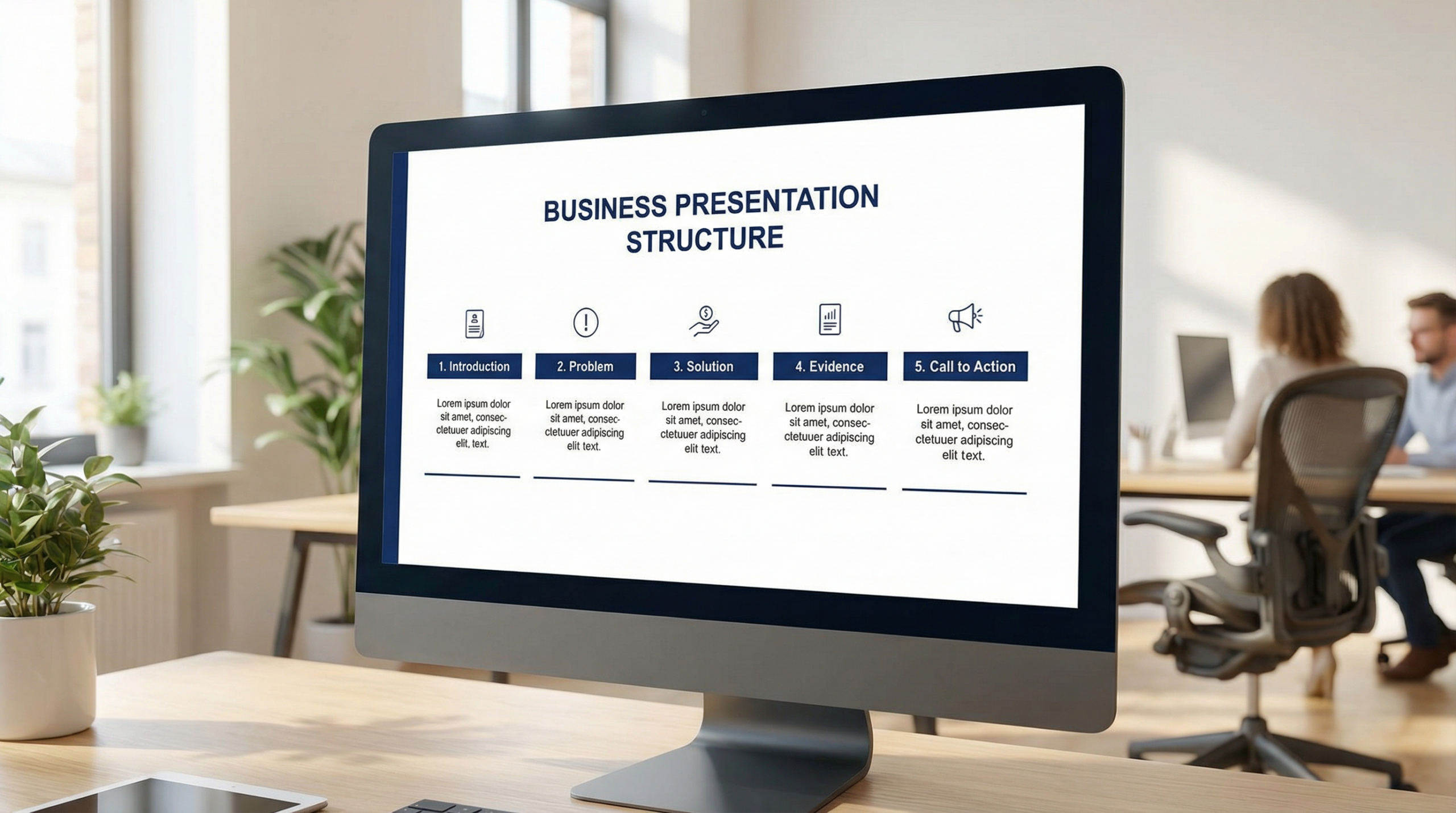
This is my go-to framework. It’s simple, powerful, and incredibly effective. After you’ve hooked them with the “why,” dive deeper into the problem. Show its scope. Use data. Then, introduce your solution. Clearly explain what it is and how it works. Finally, and this is crucial, focus on the benefits. Not just features, but what your solution *does for them*.
For example, a SaaS startup we worked with was struggling to explain their complex AI tool. We reframed their pitch. Instead of starting with “Our AI uses machine learning to optimize data,” we started with “Are your sales teams wasting hours on manual data entry?” Then, we introduced their AI as the solution, showing how it saved time and boosted revenue. Their conversion rates soared.
Keep it Simple, Stupid (KISS)
I know, I know. It sounds harsh. But it’s true. People can only absorb so much information at once. Harvard Business Review emphasizes clarity and conciseness as key to compelling presentations. Each slide should have one main idea. One. If you have more, break it down. Use visuals. Use short, punchy sentences.
Resist the urge to cram everything in. Your slides are not your speaker notes. They are visual aids. They should support your message, not overwhelm it. The goal is to make your audience say, “Aha!” not “Huh?”
The Call to Action: What’s Next?
You’ve presented the problem, offered a solution, and highlighted the benefits. Now what? Don’t leave your audience hanging. Tell them exactly what you want them to do next. Do you want them to sign up for a demo? Visit your website? Make a purchase? Be explicit.
Your call to action should be clear, concise, and easy to follow. Make it frictionless. Remove any barriers. A strong CTA transforms a great presentation into a successful one. It’s the bridge from understanding to action.
Practice, Practice, Practice (and Get Feedback)
This isn’t about memorizing a script. It’s about internalizing your message. Know your material inside and out. Practice your timing. Practice your transitions. And most importantly, practice in front of someone else. Get their honest feedback. Did they understand your points? Were they engaged? Where did you lose them?
Even the most seasoned speakers rehearse. It builds confidence and helps you refine your delivery. Don’t skip this step. It’s where good presentations become great.
If you’re looking for tools to help streamline your presentation design, I often recommend checking out Manus AI. It can be a real time-saver for generating initial slide layouts and content ideas.
Frequently Asked Questions
How long should a business presentation be?
It depends on your audience and purpose. For pitches, 10-20 minutes is common. For internal updates, 5-10 minutes. Always aim for brevity. Less is often more.
Should I use a lot of text on my slides?
No! Absolutely not. Your slides are visual aids. Use keywords, short phrases, and images. Your spoken words deliver the detail. The slides support them.
What if my audience asks a question I don’t know the answer to?
It’s okay to say, “That’s a great question, and I don’t have the exact answer right now. Let me follow up with you after the presentation.” Be honest. Don’t guess or make something up.
How do I make my presentation more engaging?
Tell stories. Use humor (appropriately). Ask rhetorical questions. Vary your tone and pace. Most importantly, show genuine passion for your topic. Your enthusiasm is contagious.
Ready to Transform Your Presentations?
Structuring a business presentation doesn’t have to be a mystery. It’s a craft. By focusing on your audience, telling a clear story, and practicing your delivery, you can create presentations that truly resonate. Stop leaving your impact to chance. Let’s build something amazing together.
Elevate your next presentation with The Slide House.
🎁 Free Download: 5 Slides That Win Clients
Enter your email to get instant access to your free Presentation Design Cheat Sheet + the 5 slides every winning client deck must have.
If you want to create blog posts, social captions, and marketing copy in minutes, Blaze.ai uses AI to generate on-brand content at scale — perfect for busy presentation designers who also need to market their services.
For additional research, see Nielsen Norman Group for research-backed communication and UX.
If you want to go deeper, read Structure Consulting Presentation Maximum Impact for another practical example. If you want to go deeper, read Executive Presentation Tips for Leaders That Win Every Time for another practical example.
Need a presentation designed for you? TheSlidehouse creates professional slide decks for consultants, business owners, and entrepreneurs. Get started here →
If you want to draft presentations faster without starting from a blank slide, Gamma is a practical option for turning ideas into polished decks and visual documents more quickly.

Melinda Pearson is the founder of The Slide House and a presentation designer with 10+ years of experience helping consultants, startup founders, and business owners turn complex ideas into clear, persuasive slide decks. Learn more about Melinda.
Frequently Asked Questions
What should structure a business presentation: guide & tips include?
Structure a Business Presentation: Guide & Tips should include a clear narrative, concise visuals, and a direct explanation of what the audience should do next.
How long should structure a business presentation: guide & tips be?
Most business presentations work best when each slide has one core point and the overall deck stays focused on the decision being made.
How can I make the slides more persuasive?
Use evidence, strong structure, and examples that match the audience’s priorities, then reinforce the recommendation with a clear next step.
Should I include supporting data?
Yes. Use only the evidence that helps the audience make the decision, and present it in a visual format that is easy to understand quickly.