
Presentations That Sell: Coaches & Creators
Most coaches and course creators treat their presentations like information dumps. Slides overloaded with text. No clear ask. No reason to buy. The result? Crickets.
Disclosure: This article contains affiliate links. If you click a link and make a purchase, The Slide House may earn a small commission at no extra cost to you. We only recommend tools we genuinely believe will help you create better presentations. Read our full Affiliate Disclosure.
A presentation isn’t a lecture. It’s a sales tool. And when you design it right, it works.
In this article, I’ll share exactly how to structure presentations that convert prospects into paying students and clients—based on 10+ years of working with coaches, consultants, and entrepreneurs who’ve closed real deals with these tactics.
Key Takeaways
- The three-part framework that transforms presentations from educational content into sales machines
- Why most coaches fail at selling through presentations (and how to fix it in one day)
- The specific slide sequence that builds trust faster than email sequences ever could
- A concrete tactic for reducing decision fatigue so prospects say yes instead of “let me think about it”
Why Presentations Matter More Than You Think
Here’s what I see constantly: coaches and course creators spend 80% of their time creating content and 5% on how they present it.
That’s backwards.

A prospective client doesn’t need more information. They need permission to buy. They need proof that you’re worth the investment. They need clarity about what happens next.

According to research from Nielsen Norman Group, people retain 65% of information when it’s paired with visuals, compared to just 10% from text alone. But here’s what most coaches miss: visuals aren’t just about retention. They’re about decision-making. A well-designed presentation actually removes friction from the buying process.
I worked with a health coach last year—let’s call her Sarah. She had a solid program. Real results. But she was closing only 15% of her discovery calls into paid clients. We rebuilt her presentation from scratch using the framework I’m about to share with you. Three months later, her close rate hit 42%. Same message. Same coach. Different delivery.
The Three-Part Framework That Converts
Every presentation that sells follows this structure. I’ve seen it work for fitness coaches, business coaches, online course creators, and even B2B consultants. The framework is:
- Part 1: The Problem (Slides 1–4) — Make the prospect feel seen. Show you understand their specific pain.
- Part 2: The Mechanism (Slides 5–10) — Explain how the problem happens. Build credibility. Show your methodology.
- Part 3: The Solution (Slides 11–15) — Present your offer. Show the result. Make the ask.
Most coaches skip Part 2 entirely. They jump from “here’s your problem” straight to “buy my course.” That’s why they don’t sell.
Part 2 is where trust lives. It’s where you prove you understand the root cause. You separate yourself from every other coach claiming the same results. When your prospect sees that you’ve thought deeply about how their problem actually works, they believe you can fix it.
The mistake I see most frequently is treating Part 2 as bonus information. It’s not. It’s the most important section of your entire presentation. Spend 40% of your slides here. Show case studies. Share data. Walk through your process. Make it impossible for your prospect to doubt your expertise.
The Slide Sequence That Builds Trust Faster
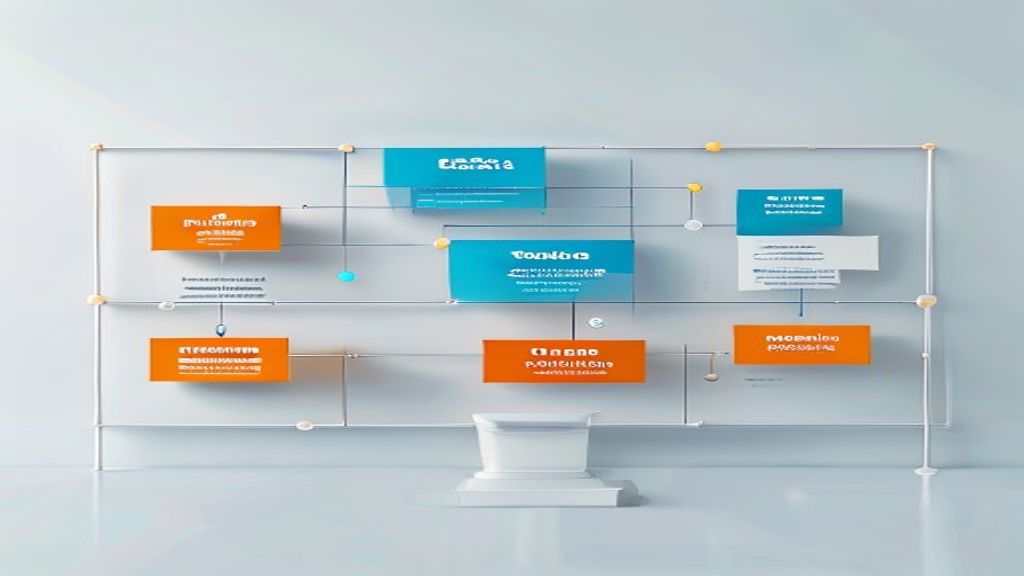
Let me give you the exact slide sequence I recommend for any coach or course creator:
Slides 1–2: Hook and Context
Start with a question or a statistic that makes the prospect lean in. Not a title slide with your logo. That’s invisible. Open with something like: “What if the reason your diet fails isn’t willpower?” or “Only 3% of people who start online courses actually finish. Here’s why.” Give them a reason to pay attention.
Slides 3–4: The Specific Problem
Now name the problem using their language. If you’re a business coach, don’t say “inefficient workflows.” Say “You’re working 60-hour weeks and still can’t hit your revenue target.” Make it feel like you’re reading their diary.
Slides 5–7: The Root Cause
This is where amateurs fail. They describe the symptom. You describe the cause. If you’re a fitness coach and the problem is “can’t lose weight,” the root cause might be “your body’s insulin response has shifted because of stress and sleep deprivation, not because you’re eating too much.” Show the mechanism. Show you’ve gone deeper than Google.
Slides 8–10: Your Proprietary Method
Now introduce your framework, process, or methodology. It needs a name. It needs steps. It needs to feel specific to you. “The Metabolic Reset Method” or “The Authority Blueprint” or whatever you call it. This is where you own the space. This is where competitors can’t follow.
Slide 11: Social Proof
Show a case study. A testimonial. A before-and-after. One solid proof point beats ten generic claims. I always recommend one detailed case study over multiple testimonials. Give numbers. Give timelines. “Sarah lost 18 pounds in 12 weeks” is better than “Sarah saw amazing results.” “Marcus increased his revenue from $45K to $120K in 6 months” beats “Marcus made more money.”
Slides 12–13: The Offer
Be crystal clear. What are they buying? What do they get? What does it cost? How long is it? Don’t hide pricing behind a “contact us” button. If you’re selling a $497 course, show $497. If it’s a $5,000 coaching package, show $5,000. Transparency builds trust. Vagueness triggers skepticism.
Slide 14: The Close
One call to action. Not three. Not “reach out or download our guide or book a call.” One. “Click the link below to enroll” or “Book your first session here” or “Apply for the program.” Reduce decision fatigue. Make the next step obvious.
Slide 15: Your Contact Information
Email. Phone. Website. Make it easy to reach you. People get ready to buy and then can’t figure out how to actually do it. That’s a missed sale.
The Design Tactics That Actually Convert
Structure matters. But so does design. And I’m not talking about fancy animations or trendy fonts.
I’m talking about the specific visual choices that reduce cognitive load and move people toward a decision.
| Design Choice | Why It Matters | What To Do |
|---|---|---|
| Color and Contrast | Humans process visuals in milliseconds. Wrong colors slow them down. | Use 2–3 colors max. Make your CTA button a color that stands out. If your slides are blue, make the “Enroll Now” button orange. |
| Whitespace | Cluttered slides feel overwhelming. Empty space feels calm and clear. | Remove 50% of what you think you need. Leave room to breathe. One idea per slide. |
| Hierarchy and Sizing | What’s biggest feels most important. What’s smallest feels least important. | Your main point should be 60–80pt font. Supporting details should be 24–32pt. Make your eye travel the way you want. |
| Numbers and Data Visualization | Raw numbers are hard to process. Charts tell a story. | Use simple bar charts or line graphs. Label them clearly. Don’t make people do math in their heads. |
Here’s my strong opinion: I always recommend using one font family throughout your presentation. One. Not two, not three. One font with regular and bold weights. It looks professional. It feels coherent. It doesn’t distract.
When you’re designing for conversion, every choice either moves someone closer to yes or further away from it. Color choice matters. Font choice matters. Image choice matters. Nothing is neutral.
The Specific Tactic That Reduces Decision Fatigue
Decision fatigue is real. And it kills sales.
When you give someone three options—”Book a call, download our guide, or email us”—you’ve actually made it harder for them to buy. Their brain has to evaluate three paths. One of them is “do nothing.” Guess which one they choose?
Here’s what I’ve observed across every single coaching and course creator client I’ve worked with: the presentations that sell have one clear next step.
Not three. One.
One call to action. One button. One email address to click. One link to follow.
For a course creator selling a $397 online program, the CTA is “Enroll now.” For a coach selling a $3,000 package, it’s “Book your strategy session.” For someone selling a $50 ebook, it’s “Get instant access.”
The psychology here is simple: clarity drives conversion. Confusion drives nothing.
A Real Example: How One Creator Tripled Her Sales
I want to give you a specific example because generic advice is useless.
I worked with a course creator—Maya—who teaches women entrepreneurs how to build personal brands. She was using presentations to sell her $997 flagship course during webinars. Her conversion rate was 8%. That’s below average.
Her presentation was 26 slides long. It covered: her story, the importance of personal branding, how to find your voice, how to build an audience, how to monetize, her course modules, testimonials, and a weak ending slide with a link.
Here’s what we changed:
- Cut it from 26 slides to 14 slides. Removed everything that wasn’t directly tied to why she was the right teacher or why the course was worth buying.
- Rebuilt the problem section. Instead of generic “women entrepreneurs struggle with visibility,” we made it visceral: “You’re doing great work but nobody knows about it. You’re watching less-qualified competitors charge 3x more because they’ve built an audience and you haven’t.”
- Added a detailed breakdown of her methodology—her five-step “Brand Authority Blueprint.” This was buried in her course outline before. We gave it three full slides.
- Replaced five small testimonial quotes with one 90-second video testimonial from a student who’d tripled her rates using the course.
- Changed the closing from a wimpy “Questions?” to a direct ask: “If this resonates, click the link below to enroll in the Brand Authority Intensive. You’ll get instant access to all five modules plus the bonus template library. The investment is $997. Enrollment closes in 24 hours.”
That was it. Same message. Different presentation structure.
Her conversion rate jumped to 24% in the first webinar. By the third webinar, it stabilized at 21%. She’s now using that same presentation for recorded sales pages and it’s converting at 19% consistently.
That’s not luck. That’s structure.
Tools and Systems for Busy Presenters
I know most coaches and course creators are bootstrapped. You’re wearing 10 hats. You don’t have time to learn advanced design software.
I recommend Keynote or PowerPoint. Both have templates. Both are intuitive. Both export cleanly to PDF or video. If you want design guidance, Canva Design School has free courses on layout, color theory, and visual hierarchy.
If you’re also managing your marketing—emails, social posts, blog content—and you need to stay consistent with messaging and branding, tools like Blaze.ai can help you generate on-brand marketing copy and social captions in minutes. It’s useful when you’re stretched thin but need to maintain a consistent voice across your presentation, website, and social channels.
The key is this: don’t outsource your presentation entirely. It needs to sound like you. It needs to reflect your methodology and your voice. Hire a designer if you can afford it. But you need to be involved in every stage of the message architecture.
For more on the specific mechanics of visual design in presentations, I’ve written about white space and its impact on decision-making, which is directly relevant to the conversion tactics I’m sharing here.
Conclusion: Your Presentation Is Your Highest-Converting Sales Tool
You don’t need a fancy funnel. You don’t need a 47-email sequence. You don’t need a $10,000 ads budget.
You need one presentation that sells.
Follow the three-part framework: Problem, Mechanism, Solution. Use the 15-slide sequence I outlined. Remove clutter. Make one clear ask. And test it with real prospects.
Most coaches and course creators never do this. They assume presentations are for education, not sales. That assumption is costing them thousands in lost revenue.
Your presentation is your highest-converting sales tool. Treat it that way.
Need a presentation designed for you? TheSlidehouse creates professional slide decks for consultants, business owners, and entrepreneurs. Get started here →
Need a presentation designed for you? TheSlidehouse creates professional slide decks for consultants, business owners, and entrepreneurs. Get started here →
If the goal is to grow an audience around your expertise, Kit is a natural fit for creators, consultants, and newsletter-led businesses.
For additional research, see Harvard Business Review for business communication and leadership.

🎁 Free Download: 5 Slides That Win Clients
Enter your email to get instant access to your free Presentation Design Cheat Sheet + the 5 slides every winning client deck must have.
Frequently Asked Questions
How long should a sales presentation be for coaches and course creators?
Between 12 and 18 slides is ideal for most coaches and course creators. This is long enough to build trust through the three-part framework but short enough to hold attention. Any longer than 20 slides and you risk overwhelming your prospect. The goal is clarity, not comprehensiveness.
Should I include pricing in my presentation?
Yes, always. Hidden pricing creates friction and triggers distrust. Be transparent about your investment amount, what’s included, and whether there are payment plans. People want to know if they can afford you before they get emotionally invested in your offer.
What’s the best way to present during a webinar vs. a one-on-one discovery call?
For webinars, keep slides simple and use them as visual anchors while you speak—don’t read from them. For one-on-one calls, you can include more detail because you can pause and answer questions. In both cases, the structure (Problem, Mechanism, Solution) stays the same; only the depth changes.
How often should I update my presentation?
Update your testimonials and case studies every quarter as you get new results. Update your pricing whenever it changes. Refresh the overall design every 1–2 years. But don’t rebuild the framework constantly. Once you have a structure that converts, stick with it and let the data guide improvements.