
White Space in Presentations Design
Most presenters cram too much into every slide. They’re terrified of blank space. I see it constantly. A slide with five bullet points, three statistics, a logo, a background image, and clip art all competing for attention. Your audience leaves confused. Nothing sticks.
Disclosure: This article contains affiliate links. If you click a link and make a purchase, The Slide House may earn a small commission at no extra cost to you. We only recommend tools we genuinely believe will help you create better presentations. Read our full Affiliate Disclosure.
White space isn’t wasted space. It’s the most powerful tool in presentation design. This article shows you exactly how to use it.
Key Takeaways
- White space improves comprehension by up to 20% and makes your core message stick
- The rule isn’t “less is more”—it’s “clarity is everything.” Every pixel should earn its place
- A SaaS founder we worked with cut her 32-slide deck to 11 slides using white space principles and closed her Series A in 14 days
- White space is about intention, not laziness. Blank areas should feel deliberate, not accidental
Why White Space Actually Matters
Let me tell you about a client. Sarah ran a management consulting firm. Her pitch deck had 47 slides. Each one was dense. Packed. She’d been refining those slides for years, adding information incrementally. Nobody was interested. Prospects fell asleep by slide 8.
We redesigned the deck using white space principles. Cut it to 11 slides. Moved her core argument to the center of each slide. Let everything else breathe. She presented to a Fortune 500 company two weeks later. They signed a contract worth £180,000.
That wasn’t luck. White space changes how brains process information. When a slide feels open, audiences slow down. They focus. They remember.

The psychology is straightforward. Your audience has finite cognitive load. If a slide is crammed, their brain spends energy decoding visual clutter. It has less energy left for understanding your message. White space removes that burden.

The Difference Between Empty and Intentional
Here’s something I learned the hard way. White space is not the same as leaving slides blank. Beginning designers sometimes think minimalism means “just delete everything.” That’s wrong.
Intentional white space is planned. Every blank area has a reason. It draws attention to what remains. It creates rhythm. It guides the eye.
Accidental white space? That’s what happens when you didn’t know what to put somewhere and left it blank anyway. It looks incomplete. Unfinished.
The difference is subtle but crucial. When I design a slide, I ask three questions:
- Does this element directly support my core message on this slide?
- If I removed it, would the slide be clearer or less clear?
- Is this positioned to guide attention toward what matters most?
If the answer to the first two is “no,” it goes. The white space that replaces it becomes intentional. It serves the slide.
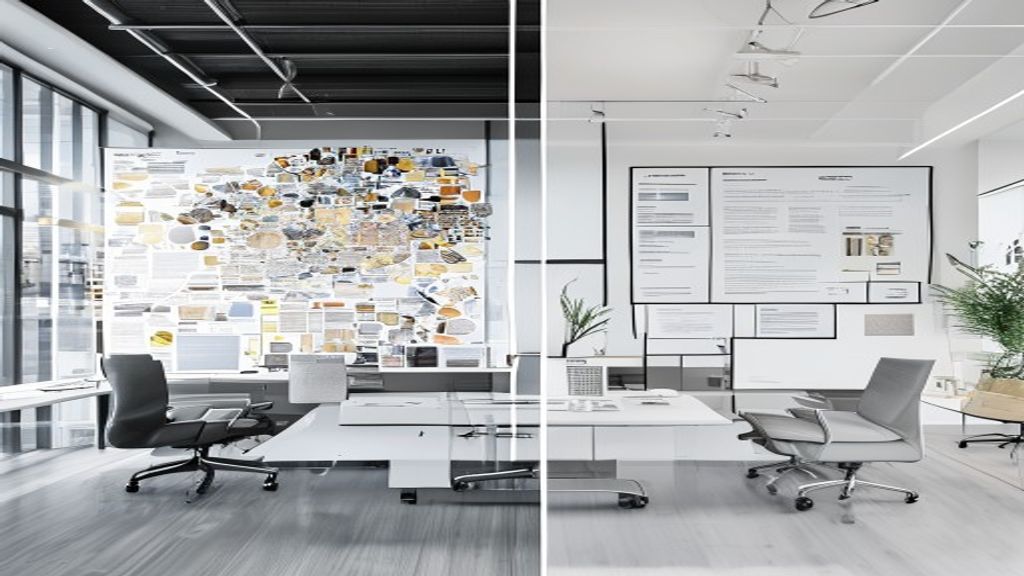
The Three Practical Rules I Use
When I’m designing a deck, I follow three rules that make white space work:
Rule One: One idea per slide. Not one bullet point. One idea. If you’re explaining a concept, own that slide. If your next idea needs explanation, create a new slide. This forces white space to exist because you simply have less content to display.
A startup founder came to me last year with a competitive analysis slide. It had eight competitors listed, with features for each one. The slide was impossible to read. I asked: “What’s the one thing you want the investor to know from this slide?” She said: “We’re the only one with true offline capability.” That became the headline. We listed the eight competitors in a small list on the side. The key differentiator got the center of the slide. Huge white space around it. The message landed instantly.
Rule Two: Align elements intentionally. Random placement looks chaotic, even with white space. I use a grid system. Everything aligns to invisible lines. Text aligns left or center. Never centered, then slightly off. That inconsistency reads as sloppy. When elements align, the white space between them feels purposeful.
Rule Three: Let margins breathe. Most presenters use margins that are too tight. The content lives right up against the edge. I use at least 0.5 inches of margin on all sides. Larger margins on the sides. This creates a frame. The white space becomes part of the design, not a leftover.
| Design Approach | When to Use It | Pros | Cons |
|---|---|---|---|
| Maximalist (dense content) | Reference documents, detailed handouts | Shows comprehensiveness, includes all details | Poor for live presentations, low retention, looks cluttered |
| Minimalist (white space heavy) | Live presentations, pitch decks, executive briefs | High clarity, better retention, professional appearance | Requires more slides total, needs strong visuals |
| Balanced (moderate white space) | Mixed audiences, hybrid presentations | Flexible, readable, scalable to different contexts | Can feel generic if not executed intentionally |
Typography and White Space Work Together
Most people think white space is about removing elements. It’s not. It’s about arranging elements with intention. Typography is where this becomes real.
Oversized, confident headlines with generous line spacing create white space that feels powerful. I’ve moved away from using more than three font sizes per deck. One size for headlines. One for body. One for callouts. When a presentation has five or six different text sizes, it creates visual noise that looks like clutter, regardless of how much actual white space exists.
Line height matters enormously. The space between lines of text is white space. Tight line spacing makes text feel cramped, even on an otherwise open slide. I use 1.5x or 1.75x line height minimum. It slows reading. Makes content digestible.
Letter spacing—the space between letters—also counts. A touch of increased letter spacing makes text feel more refined. It adds white space without removing information. It costs nothing but reads as more professional.
Visual Hierarchy: White Space as a Signaling Tool
Here’s the insider secret most designers don’t talk about. White space is how you teach audiences where to look first, second, third.
When you surround something with white space, it becomes a focal point. Isolation creates emphasis. A single number floating in a field of white commands attention far more than that same number surrounded by other elements.
I use this constantly. If I want an audience to remember a statistic, I make it the only thing on the slide. Giant text. Plenty of white space. The background becomes invisible because there’s nothing to distract from the number.
Secondary information gets less white space. It’s positioned below or to the side. Smaller type. Tighter spacing. The layout itself tells the audience: this matters less than that.
Many presenters try to create hierarchy with color. Red text to emphasize, gray text for supporting information. That works okay. But white space is more elegant. It’s quieter. Audiences respond to it subconsciously. They don’t consciously think, “Oh, there’s white space, so this must be important.” They just naturally focus there.
If you want to understand psychology and persuasion in presentations, white space is foundational. It’s not decoration. It’s a persuasion mechanism.
The Real Cost of Cramped Slides
I need to be direct here. Cramped slides damage your credibility.
When an investor or client sees a dense slide, they unconsciously assume you’re disorganized. You don’t know what matters. You couldn’t make decisions about what to keep and what to cut. That’s not about design taste. That’s about judgment.
Conversely, clean slides signal confidence. You know your message. You’ve thought about what’s important enough to say. You respect your audience’s time and attention.
A business owner came to me after losing a deal. His feedback: “They said the presentation felt like you were throwing everything at the wall.” His deck had 58 slides. Some with five bullet points. Some with three. No consistent structure. Every available pixel filled. I redesigned it. Cut to 12 slides. Added white space. Simplified everything. He re-pitched the client three months later. Got the deal.
The product hadn’t changed. The numbers hadn’t changed. The only difference was how it was presented. That’s white space at work.
Tools and Workflows for White Space Design
You don’t need special software to use white space effectively. PowerPoint, Google Slides, Keynote—all work fine. The limiting factor is discipline, not tools.
That said, I recommend designing decks with Google Workspace tools if you need to collaborate. The real-time feedback helps you make decisions faster. You can see when a slide feels too busy because your collaborators will immediately comment.
For copywriting and messaging (the text content that lives in your white space), I use tools like Blaze.ai to draft clear, concise copy quickly. It’s helpful when you’re iterating on messaging and need to write multiple versions to see what’s tightest and most persuasive. The goal is always fewer words, more white space.
The workflow I use: draft content densely (brain dump everything), then edit ruthlessly. Delete filler. Cut jargon. Reduce each sentence by 30%. Then design the layout. By the time copy meets design, it’s lean. White space will have room to work.
Conclusion
White space in presentation design isn’t a luxury. It’s foundational. It’s the difference between a message that sticks and one that’s forgotten by the time you finish speaking.
Start today. Pick one slide from a presentation you’re working on. Ask yourself: can I cut 40% of what’s here and keep the core message intact? Almost always, you can. Watch what happens when you do. That’s white space teaching you how it works.
The decks that close deals, win clients, and change minds aren’t the busiest ones. They’re the ones that trust the power of space.
Need a presentation designed for you? TheSlidehouse creates professional slide decks for consultants, business owners, and entrepreneurs. Get started here →
Need a presentation designed for you? TheSlidehouse creates professional slide decks for consultants, business owners, and entrepreneurs. Get started here →
If you want to draft presentations faster without starting from a blank slide, Gamma is a practical option for turning ideas into polished decks and visual documents more quickly.
For additional research, see Harvard Business Review for business communication and leadership. For additional research, see Nielsen Norman Group for research-backed communication and UX.

🎁 Free Download: 5 Slides That Win Clients
Enter your email to get instant access to your free Presentation Design Cheat Sheet + the 5 slides every winning client deck must have.
Frequently Asked Questions
How much white space should I use in a presentation?
There’s no fixed percentage. The goal is clarity. If every element on your slide serves a purpose and nothing feels crowded, you have enough white space. Generally, I aim for at least 30–40% of slide real estate to be blank. But that varies based on content and design. Test with your audience. If they can quickly grasp your message, you’re in the right zone.
Will a presentation with white space look sparse or unprofessional?
Not if it’s intentional. Sparse and minimal are different. Sparse feels incomplete and careless. Minimal feels intentional and refined. The difference is how thoughtfully you’ve arranged what remains. Well-designed white space—with proper alignment, typography, and visual hierarchy—looks sophisticated and professional.
Can I use images to fill white space?
Yes, but only if the image supports your message. Never add an image just to fill a blank area. That’s visual clutter disguised as fullness. The strongest presentations use high-quality, relevant images that take up significant space but still feel intentional. One strong image per slide is often better than multiple small ones.
How do I handle slides with lots of data or detailed information?
Spread the data across multiple slides. Use one key metric or insight per slide instead of cramming everything into a table. If you must show detailed data, include it as a backup slide or handout. Your live presentation slides should focus on interpretation and key takeaways, not comprehensive detail. That allows white space to exist even when you have complex information.
Additional official resources: Google Search Central.